iSolved Go13.14
Publisher Description
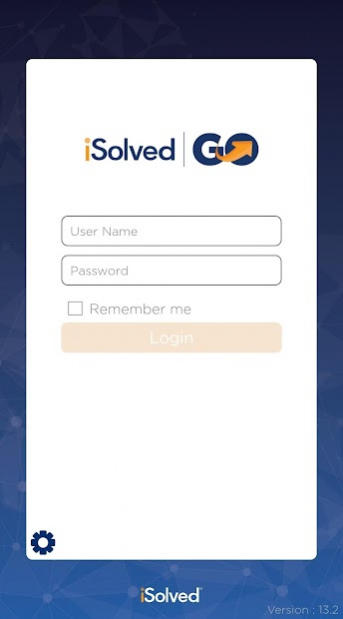
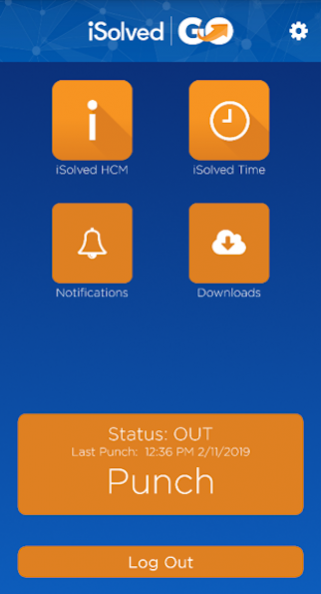
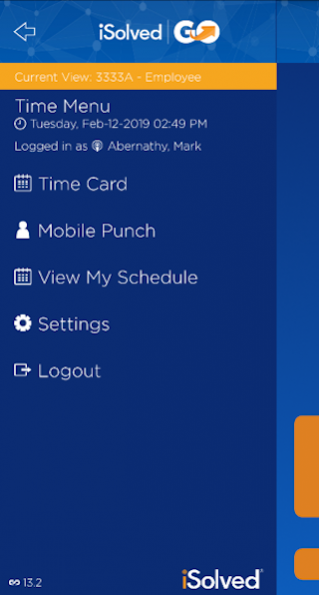
IMPORTANT: this application requires access to iSolved HCM, the incredibly powerful and fully integrated human capital management product provided by Infinisource. Contact your payroll administrator regarding use of this application.
iSolved Go is the solution for employees who are on-the-go. The mobile application is ideal for customers that employ carpenters, electricians, landscapers, caterers, home care nurses, drivers and other mobile workers. With an improved easy-to-use interface, employees can clock in wherever they are. Employees can also review their most recent pay information and update personal information. Supervisors can track and enforce attendance policies easier than ever before.
Employees can clock in individually, or crew leaders can clock in an entire group of employees. Either way, there is no need to worry about being out of cell service - iSolved Go offers true offline capability for time and attendance clock in operations.
iSolved Go has been designed to quickly capture attendance data while not getting in the way of your employees or supervisors.
Features include:
• Mobile Punch. Your time clock in a pocket. Employees can quickly punch In and Out for work as well as for meals and breaks.
o Quick Punch option – Punch with a single touch.
o Working with iSolved Time the system can be configured to enforce minimum meal and break times.
o Employees can transfer between departments, jobs and tasks ensuring accurate allocation of labor hours and costs.
• Employees can view their timecard
• Group Punch. Via a single transaction your supervisors can create punches for members of a work crew.
• iSolved Go allows users to log in and create a punch while “off-line”. Punches will be automatically transmitted to iSolved once a signal is available.
• GPS Location: If available the GPS coordinates of the phone is captured and attached to the punch. You can then view the punch location within our products using Google Maps.
• Access the iSolved HCM platform
• View paystubs
• Update address/phone number
• Update tax information
• View and approve Time off Requests
• Create Time off Requests
• Revised application user interface
This version requires iSolved HCM.
About iSolved Go
The company that develops iSolved Go is Infinisource. The latest version released by its developer is 13.14.
To install iSolved Go on your Android device, just click the green Continue To App button above to start the installation process. The app is listed on our website since 2021-11-05 and was downloaded 21 times. We have already checked if the download link is safe, however for your own protection we recommend that you scan the downloaded app with your antivirus. Your antivirus may detect the iSolved Go as malware as malware if the download link to com.infinisource.iSolvedTime.Mobile is broken.
How to install iSolved Go on your Android device:
- Click on the Continue To App button on our website. This will redirect you to Google Play.
- Once the iSolved Go is shown in the Google Play listing of your Android device, you can start its download and installation. Tap on the Install button located below the search bar and to the right of the app icon.
- A pop-up window with the permissions required by iSolved Go will be shown. Click on Accept to continue the process.
- iSolved Go will be downloaded onto your device, displaying a progress. Once the download completes, the installation will start and you'll get a notification after the installation is finished.
Program Details
System requirements
Download information
Pricing
Version History
version 13.14
posted on 2021-11-05
Fixes issues with Android 11 when downloading W2s/Paystubs, and viewing schedules.
version 13.13
posted on 2021-08-27
Managers/Supervisors can now delete approved Time off Requests
Updated time zone protocols going to isolved
Offline punch notes now showing in isolved
Updated to meet requirements
version 13.12
posted on 2021-01-15
* Labor groups update automatically when refresh labor/items groups is enabled.
* Notifications now working on Android 9 and 10
* Addressed login issues when a self-service user associated with two different companies as two different employees
* One user with multiple attached clients, punch button has now has status for employees
* Change mobile and group punch status to 'Error' for committed and not created pay periods.
* Fixed Android 10 devices unable to download paystubs.
version 13.11
posted on 2020-10-02
- Employee Punch Log - show historical punches for employees up to 45 days
- Group Punch Log - show historical punches for manager/supervisor(s) up to 45 days
- Resetting Network Partner ID will clear punch log data
- Ability to resend a punch from the punch log
- Group Punch completion form lists all employees in the punch
- Employee Punch completion form shows punch status
- Handles large display/font sizes
- Timecards with critical alerts can no longer be verified
version 13.10
posted on 2020-07-24
- Implemented Fused Location Provider API
- Stop Google's auto backup of app data
- Change wording for no paystubs and/or W2s message
- Fixed paystubs not showing when in a role other than Employee
- Fixed Geo fence rules not being applied to quick punch
- Fixed handling of old versions of the app
version 13.9
posted on 2020-05-18
App now has a Forgot Password link on the login screen. Fixed login issues regarding cached logins and MFA's "verify" code button. Punch button now shows when either Quick Punch or Detailed Punch is enable.
version 13.8
posted on 2020-04-02
App will now do Multi Factor Authentication (MFA)
- When this version and future version are released users will need to go through the MFA login
- App will not support two users using same device without having to go through MFA
version 13.7
posted on 2020-02-25
With the 2020 W-4 Requirements, tax updates must be completed through iSolved's Self Service Portal.
version 13.6
posted on 2019-12-18
Fix for multi-company account getting lockdown for no reason. Current punch status now shows correctly. When creating a punch, device's Location Services must be turned on if Geofence options is set to Restrict Punch or Warn Only.
version 13.4
posted on 2019-12-17
Updated the process for offline punches made in the App
- Saved offline-punches will attempt to send to iSolved during each login of the user up for up to 24 hours.
- At the end of the 24-hour period, the punch will be deleted, and a message will be displayed stating: "Date/time Punch was unable to send to iSolved. The punch detail is displayed on the Notifications list." The user will have a notification shown in the historical notifications of the deleted punch.
